Blog

  • AI Tools for Pakistani Freelancers: How to Get Started and Get Paid Online

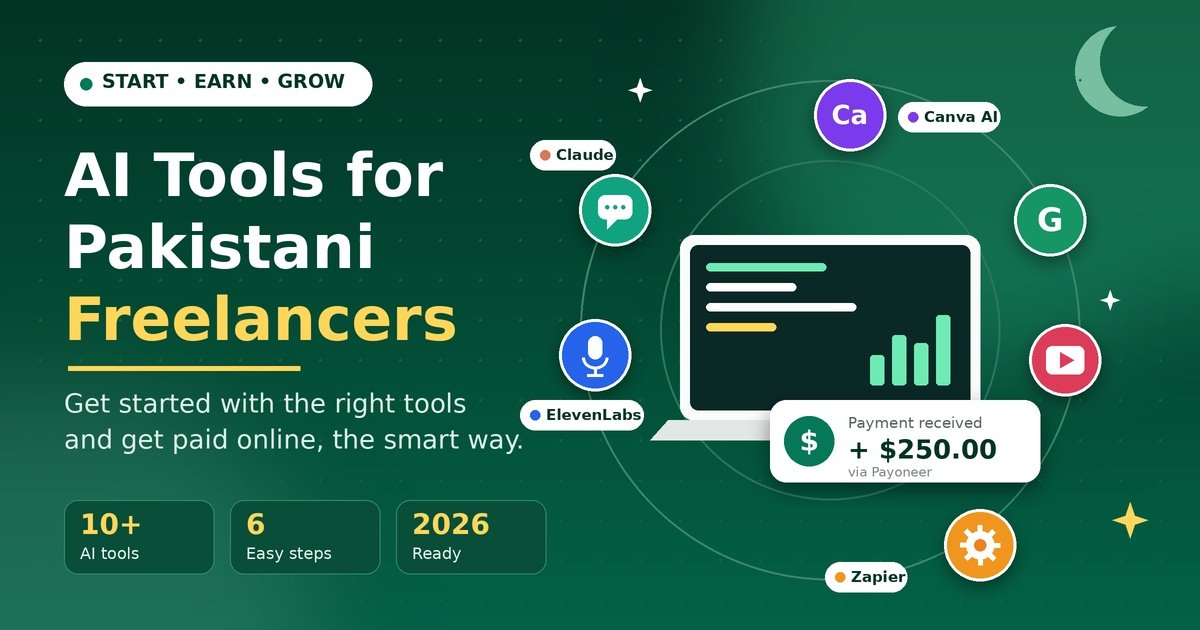
    AI Tools for Pakistani Freelancers: How to Get Started and Get Paid Online

    A few years ago, a student in Lahore or Karachi needed months of practice before landing a first foreign client. Today, many beginners deliver decent work in weeks, and a big reason is smart technology. If you have been wondering how to join the global market, AI tools for Pakistani freelancers are the best place to begin.

    This guide is practical and honest. You will learn which tools are worth your time, how to start freelancing in Pakistan step by step, and how to receive your money safely.

    Why AI Tools for Pakistani Freelancers Matter in 2026

    Freelancing in Pakistan keeps growing because clients abroad want skilled people at fair rates. But competition is also higher. Everyone can open a Fiverr or Upwork profile, so speed and quality decide who wins.

    AI helps in three ways:

    • Speed: drafts, designs and edits that took hours now take minutes.
    • Quality: grammar, structure and visuals become more polished.
    • Range: one person can offer writing, design and simple automation together.

    Online earning in Pakistan with AI is not about pressing a button and waiting for dollars. It is about using AI as an assistant while your own judgment, experience and honesty create the value.

    How to Start Freelancing in Pakistan: 6 Beginner Steps

    1. Pick one skill. Choose writing, graphic design, video editing, virtual assistance or basic web work. Do not try everything at once.
    2. Learn with AI as your tutor. Ask ChatGPT or Claude to explain concepts and give you practice tasks.
    3. Build three sample projects. Clients trust samples more than certificates.
    4. Create a clean profile. Use a real photo, a clear headline and simple English.
    5. Apply or list gigs daily. Personalise every proposal. Copy-paste messages get ignored.
    6. Set up payments early. Do this before your first order so you are never stuck.

    Best AI Tools for Freelancers (By Skill)

    There are hundreds of apps, but you only need a few. Here are the best AI tools for freelancers that actually earn their place.

    ChatGPT for Freelancers

    Freelancing with ChatGPT in Pakistan is now very common. Use it for brainstorming, outlining, writing proposals, summarising client briefs and practising interview answers.

    Real example: A new Upwork writer pastes a job post and asks for three proposal angles. She then rewrites the best one in her own voice and mentions one detail from the client’s website. That small human touch gets replies.

    Claude AI for Writing and Coding

    Claude AI for writing and coding is a strong choice when you need long, careful responses. Writers use it to edit and restructure articles. Developers use it to explain errors, review code and draft documentation. Always test any code yourself before sending it to a client.

    AI Content Writing Tools and Grammarly

    AI content writing tools can speed up research and first drafts, while Grammarly fixes grammar, tone and clarity. This pair is very helpful for non-native English writers. Just remember that raw AI text is rarely client-ready. Edit it, add examples and check facts.

    Canva AI and Midjourney

    Canva AI is perfect for social media posts, presentations and quick branding work. Midjourney creates unique concept art and illustrations. Beginners can sell social media kits, thumbnails and logo concepts. Always check a client’s rules on AI-generated images and the licence terms of each tool.

    AI Video Editing Tools (CapCut, Descript)

    CapCut offers auto-captions, templates and quick effects, which is great for short-form videos. Descript lets you edit video by editing the transcript, so removing filler words takes seconds. Both help you take on more video orders without burning out.

    AI Voice-Over Tools (ElevenLabs)

    AI voice-over tools like ElevenLabs can produce natural narration for explainer videos, audiobooks and ads. Be transparent with clients when a voice is synthetic, and never clone someone’s voice without permission.

    AI Automation Tools (Zapier, Make)

    Zapier and Make connect apps so tasks run on their own. For example, a new form entry can automatically create a spreadsheet row, send an email and notify the client on Slack. Small businesses pay well for this kind of setup, and it is one of the less crowded niches.
    Quick Comparison of Popular AI Tools

    ToolBest ForSkill LevelFree PlanIdeal Freelance Service
    ChatGPTIdeas, drafts, researchBeginnerYes (limited)Writing, VA work
    ClaudeLong editing, code helpBeginner to IntermediateYes (limited)Content, development
    GrammarlyGrammar and toneBeginnerYesProofreading
    Canva AIQuick graphicsBeginnerYesSocial media design
    MidjourneyArtistic imagesIntermediateNo (paid)Illustration, concepts
    CapCutShort video editingBeginnerYesReels, shorts
    DescriptTranscript-based editingIntermediateYes (limited)Podcasts, YouTube
    ElevenLabsAI narrationBeginnerYes (limited)Voice-overs
    Zapier / MakeWorkflow automationIntermediateYes (limited)Automation setup

    Plans and pricing change often, so check each website before you subscribe.

    AI Prompt Engineering: The Skill That Multiplies Your Income

    Two people can use the same tool and get very different results. The difference is AI prompt engineering, which simply means giving clear instructions.

    A good prompt has four parts:

    • Role: “Act as an experienced SaaS copywriter.”
    • Task: “Write a 100-word product description.”
    • Context: “The audience is small business owners in the UK.”
    • Format: “Use a friendly tone and end with a question.”

    Save your best prompts in a notes app. Over time, this becomes your personal toolkit.

    AI Freelancing Jobs in Pakistan: What Is in Demand

    AI freelancing jobs in Pakistan are growing in these areas:

    • Content writing and editing with human review
    • Social media design and short video editing
    • Virtual assistance with AI-supported research
    • Voice-over and subtitle services
    • Workflow automation for small businesses
    • Prompt writing and AI-assisted customer support

    Tools for online earning work best when they support a service people already need.

    How to Get Paid Online in Pakistan

    Earning is only half the story. You also need safe freelance payment methods in Pakistan.

    Popular Payment Options

    • Payoneer: widely used for Upwork and Fiverr withdrawals to a local bank.
    • Direct bank transfer: offered by some platforms, so check what is available for your account.
    • Wise: useful for receiving payments from some clients, depending on availability and your account type.
    • Local wallets and digital banks: some freelancers move money through Easypaisa, JazzCash, SadaPay or NayaPay after it reaches a local account.

    Smart Payment Habits

    • Use your real name and match it with your CNIC and bank account.
    • Compare exchange rates and withdrawal fees before choosing a method.
    • Keep invoices and transaction records.
    • Look into registration with the Pakistan Software Export Board (PSEB) and tax rules. Rules can change, so confirm with the official website or a tax professional.

    2026 Trends Every Freelancer Should Know

    If you earn money online in Pakistan in 2026, these trends matter, especially if you write for blogs or websites.

    • AI Overviews and zero-click searches: Google often answers questions right on the results page, so fewer people click. Clients now want content that is clear, quick to scan and genuinely useful.
    • GEO (Generative Engine Optimisation): this means shaping content so AI answer engines can understand and mention it. Use direct answers, clear headings and trustworthy sources.
    • E-E-A-T: Experience, Expertise, Authoritativeness and Trustworthiness. Add real examples, your own screenshots and honest opinions.
    • Human-written content: AI helps with drafts, but human insight stands out. Readers and search engines both reward original thinking.
    • User experience (UX): short paragraphs, helpful headings and fast pages keep readers engaged.

    Pros and Cons of Using AI Tools for Freelancing

    Pros

    • Faster delivery and more orders
    • Lower learning barrier for beginners
    • Better grammar, design and editing quality
    • Chance to offer new, higher-paying services

    Cons

    • Over-reliance can weaken your own skills
    • Generic output makes you look like everyone else
    • Some clients restrict or ban AI use
    • Paid tools add monthly costs
    • Facts may be wrong, so checking is essential

    Frequently Asked Questions (FAQs)

    1. Which are the best AI tools for Pakistani freelancers to start with? Begin with ChatGPT or Claude, Grammarly and Canva. All have free plans and are easy to learn.

    2. Can I start freelancing in Pakistan with no experience? Yes. Pick one skill, build sample projects and apply consistently. Use AI to learn faster, not to skip learning.

    3. Is freelancing with ChatGPT in Pakistan allowed on Fiverr and Upwork? Generally yes, but rules differ by platform and client. Read the terms and disclose AI use when required.

    4. How much can I earn? Income depends on skill, niche and consistency. Beginners often earn little at first, so focus on reviews and quality before raising prices.

    5. How do I get paid online in Pakistan? Most freelancers use Payoneer or a bank transfer option available on their platform. Check current availability and fees.

    6. Do I need to pay tax on freelance income? Pakistan has rules and incentives for freelancers and IT exporters. Check with PSEB, FBR or a tax advisor for current requirements.

    7. Will AI replace freelancers? AI replaces repetitive tasks, not trust, creativity or client communication. Freelancers who use AI well are in a stronger position.

    8. Is AI-generated content bad for SEO? Not automatically. Helpful, accurate and human-reviewed content can perform well. Low-quality mass-produced content does not.

    9. Which AI skill is most valuable in 2026? Prompt engineering, automation and AI-assisted editing are strong skills because they work across many industries.

    10. Are paid AI tools necessary? No. Start free, then upgrade only when a tool clearly helps you earn more.
  • Best AI Coding Assistants for Beginners in 2026

    Best AI Coding Assistants for Beginners in 2026

    You open a code editor for the first time and stare at a blinking cursor. Where do you even start? A few years ago, that moment meant hours of digging through forums. Today, an AI programming assistant can explain an error, suggest your next line, or turn a plain-English sentence into working code.

    But there are dozens of tools, and not all of them are friendly to newcomers. In this guide, I compare the best AI coding assistants for beginners in 2026, explain who each one suits, and show you how to use them without becoming someone who only copies and pastes.

    Quick Answer: Which Tool Should You Pick?

    If you want the short version: GitHub Copilot or Cursor AI are great inside an editor, ChatGPT is the most patient explainer, and Replit AI is the easiest if you want zero setup. All of them offer some kind of free AI coding assistant option, so you can test before you pay.

    Why Beginners Should Use an AI Code Assistant

    An AI code assistant for beginners works like a tutor that never gets tired. Used well, it can:

    • Explain confusing error messages in simple words
    • Show you different ways to solve the same problem
    • Help you get unstuck in minutes instead of hours
    • Make small projects feel achievable, which keeps you motivated

    The keyword is used well. We will cover that later.

    What to Look for in AI Tools to Learn Coding

    Before picking from the best AI coding tools for beginners, check these five things:

    1. Explanations: Can it tell you why the code works, not just give you code?
    2. Easy setup: Do you need to install ten things first?
    3. Free plan: Is there a free tier so you can experiment?
    4. Project awareness: Can it see your files, or only the snippet you paste?
    5. Learning resources: Are there plenty of tutorials and community answers?

    Top AI Coding Assistants Compared

    ToolBest ForFree OptionBeginner Difficulty
    GitHub CopilotLearning inside VS CodeYes (limited)Easy
    Cursor AIEditing whole projectsYes (limited)Medium
    Claude CodeDeep help from the terminalNo (paid plan or API)Harder
    ChatGPTConcept explanationsYesVery easy
    Gemini Code AssistFree editor helpYesEasy
    Replit AINo-setup browser codingYes (limited)Very easy
    WindsurfAI-first editingYes (limited)Medium
    TabninePrivacy-focused completionLimitedEasy
    Amazon Q DeveloperAWS projectsYesMedium

    Plans and limits change often, so always check each official pricing page before you decide.

    Detailed Reviews: Pros and Cons

    1. GitHub Copilot

    Copilot lives inside editors like VS Code and suggests code as you type. It also has a chat panel to explain code.

    • Pros: Smooth editor experience, huge amount of tutorials
    • Cons: Easy to accept suggestions without understanding them; free usage has limits

    2. Cursor AI

    Cursor is an AI-first code editor. You can ask questions about your whole project and request edits across files.

    • Pros: Understands project context, great for building small apps
    • Cons: Can feel overwhelming, and big automatic changes are tempting to accept blindly

    3. Claude Code

    Claude Code is an agent that runs in your terminal, reads your project, and makes changes on request. It is strong at reasoning and explaining.

    • Pros: Excellent for understanding bigger codebases and debugging
    • Cons: Terminal-based, so it can feel intimidating on day one; needs a paid plan or API access

    4. ChatGPT for Coding

    ChatGPT for coding works as a chat tutor. Paste your error, ask “explain it like I’m new,” and it will walk you through it.

    • Pros: Free tier, very patient, great for learning concepts
    • Cons: Does not automatically see your project, so you copy and paste between windows

    5. Google Gemini Code Assist

    Google’s assistant works in popular editors and offers a free individual option.

    • Pros: Budget-friendly, solid code completion and chat
    • Cons: Fewer beginner tutorials than Copilot

    6. Replit AI

    Replit runs in your browser, so there is nothing to install. You write, run, and share code in one place.

    • Pros: Zero setup, instant results, very motivating
    • Cons: It can build things for you so fast that you skip learning

    7. Windsurf

    Windsurf is another AI-first editor with an agent that can plan and edit code with you.

    • Pros: Clean interface, helpful step-by-step flow
    • Cons: Still evolving, with fewer community guides

    8. Tabnine

    Tabnine focuses on code completion with a strong privacy angle.

    • Pros: Works in many editors, privacy-conscious
    • Cons: Less beginner-friendly chat; best features are paid

    9. Amazon Q Developer

    Amazon Q Developer shines when you work with AWS cloud services.

    • Pros: Free tier, great for cloud projects
    • Cons: Overkill if you are just learning basic Python or JavaScript

    Best Free AI Coding Assistant Options

    On a zero budget, start with these:

    • ChatGPT free tier for explanations
    • Gemini Code Assist for editor help
    • Replit AI starter plan for quick experiments
    • GitHub Copilot free tier for VS Code

    Mix one chat tool with one editor tool and you already have a solid AI pair programmer for beginners.

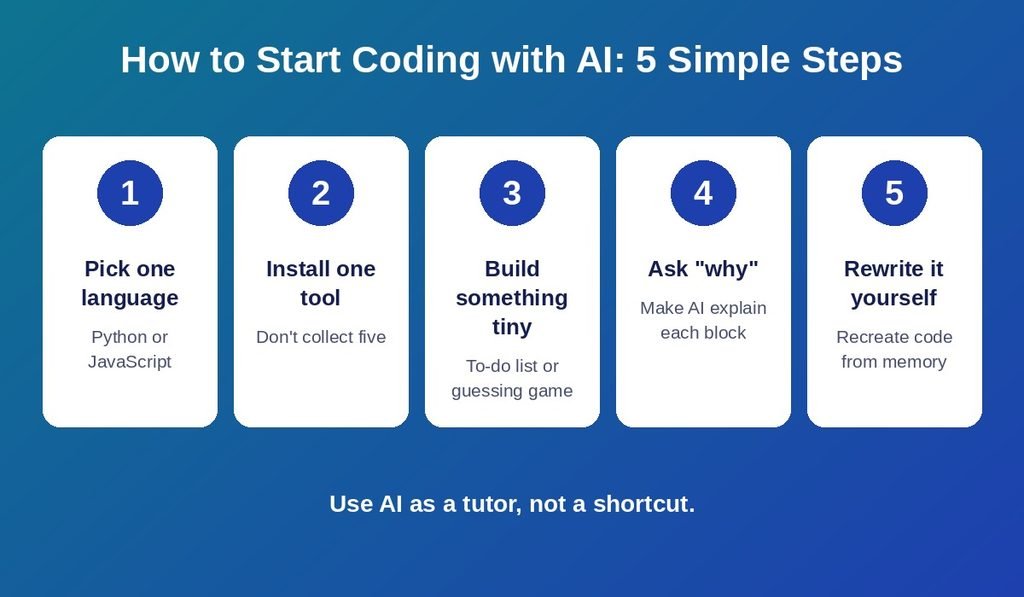
    How to Get Started: A Simple 5-Step Plan

    1. Pick one language. Python or JavaScript is a friendly start.
    2. Install one tool. Do not collect five assistants at once.
    3. Build something tiny, like a to-do list or a number guessing game.
    4. Ask “why,” not just “how.” Request an explanation of every block it writes.
    5. Rewrite it yourself. Close the AI and recreate the code from memory.

    Example prompt: “I’m a beginner. Write a Python function that checks if a number is even, then explain each line.”

    Common Beginner Mistakes to Avoid

    • Copying code you cannot explain
    • Trusting every answer (AI can be confidently wrong)
    • Pasting passwords, API keys, or private data into a chat
    • Skipping the basics like variables, loops, and functions

    A good rule: if you cannot explain a line, ask the AI to teach it, then write it again yourself.

    2026 Trends Worth Knowing

    The best AI code generator tools are becoming “agents” that plan, write, and test code across files. “Vibe coding” is popular, but beginners still need fundamentals to spot bad output.

    Also, search itself has changed. AI Overviews often answer questions at the top of Google, and many searches end with zero clicks. That is why trustworthy, experience-based, human-written content matters more now. Google’s E-E-A-T idea (experience, expertise, authoritativeness, trust) rewards guides that are honest about trade-offs. When you read any “top AI coding assistants” list, check whether the author explains limits, not just features. Generative engine optimization (GEO) also favors clear answers, which is why I put a quick answer near the top.

    Frequently Asked Questions

    1. What is the best AI for coding beginners? ChatGPT and Replit AI are the easiest starting points. Copilot is a great next step once you use VS Code.

    2. Is there a free AI coding assistant? Yes. ChatGPT, Gemini Code Assist, Amazon Q Developer, and limited tiers of Copilot, Cursor, and Replit are free.

    3. Can AI teach me to code from scratch? It can explain and guide you, but you still need to practice. Pair it with a structured course.

    4. Is GitHub Copilot good for beginners? Yes, if you read its suggestions carefully and ask it to explain them.

    5. Is Cursor AI too advanced for beginners? Not necessarily. Start with small projects and review every change.

    6. Is Claude Code beginner-friendly? It is powerful, but the terminal can feel tricky. Try it after you know basic commands.

    7. Which AI is best for learning Python? ChatGPT for explanations and Replit for running code instantly work very well.

    8. Will AI replace beginner programmers? Unlikely. Developers who understand code and use AI well are in demand.

    9. Is it safe to rely on AI for coding? Use it as a helper, not a replacement. Test everything and never share secrets.

    10. Can I use more than one AI coding tool? Yes, but keep it to two at most, one chat tool and one editor tool.

    Conclusion

  • How to Spot AI-Generated Content and Fake Images (2026 Guide)

    How to Spot AI-Generated Content and Fake Images (2026 Guide)

    A few years ago, spotting a fake photo was easy. You looked for bad Photoshop work or strange shadows. Today, one text prompt can create a photo-realistic image in seconds. Remember the viral picture of the Pope in a white puffer jacket? It was made with Midjourney, and millions of people believed it was real.

    Text has the same problem. Articles, reviews, and even “expert” advice can now be produced in bulk by machines. In this guide, I’ll show you how to spot AI-generated content using simple steps anyone can follow. No technical skills needed.

    Why It Matters More Than Ever in 2026

    Search has changed. Google’s AI Overviews now answer many questions directly on the results page, which means more zero-click searches. Brands are also optimizing for GEO (Generative Engine Optimization), hoping AI tools will cite them.

    Because of this, the web is filling up with cheap, mass-produced content. Search engines respond by rewarding E-E-A-T: Experience, Expertise, Authoritativeness, and Trustworthiness. Content that shows real, first-hand experience stands out. Human-written content matters more now because readers (and algorithms) are tired of generic answers.

    Knowing how to filter fake from real protects you from scams, misinformation, and wasted time.

    How to Identify AI-Generated Images

    If you want to know how to identify AI-generated images, start with your own eyes. Most fakes still leave clues.

    Check the Small Details

    Zoom in and look for these red flags:

    • Hands and fingers: extra fingers, merged fingers, or odd joints
    • Teeth and ears: too uniform, blurry, or mismatched earrings
    • Text in the image: warped letters, gibberish signs, or misspelled logos
    • Skin: overly smooth, almost plastic, with no pores
    • Hair: strands that melt into the background or clothing

    Look at Lighting and Background

    AI often struggles with physics. Shadows may point in different directions. Reflections in glasses or water may not match the scene. Background crowds can look like a blur of half-formed faces.

    Know the Style of Each Tool

    Different generators have different “fingerprints”:

    • Midjourney images often look cinematic, glossy, and almost too perfect.
    • DALL·E images can feel illustrated or slightly cartoonish, with soft, clean edges.
    • Stable Diffusion images vary widely, but they may show texture glitches or odd anatomy, especially in older models.

    Newer versions of all three are improving fast, so no single clue is enough. Combine several checks.

    Use Reverse Image Search

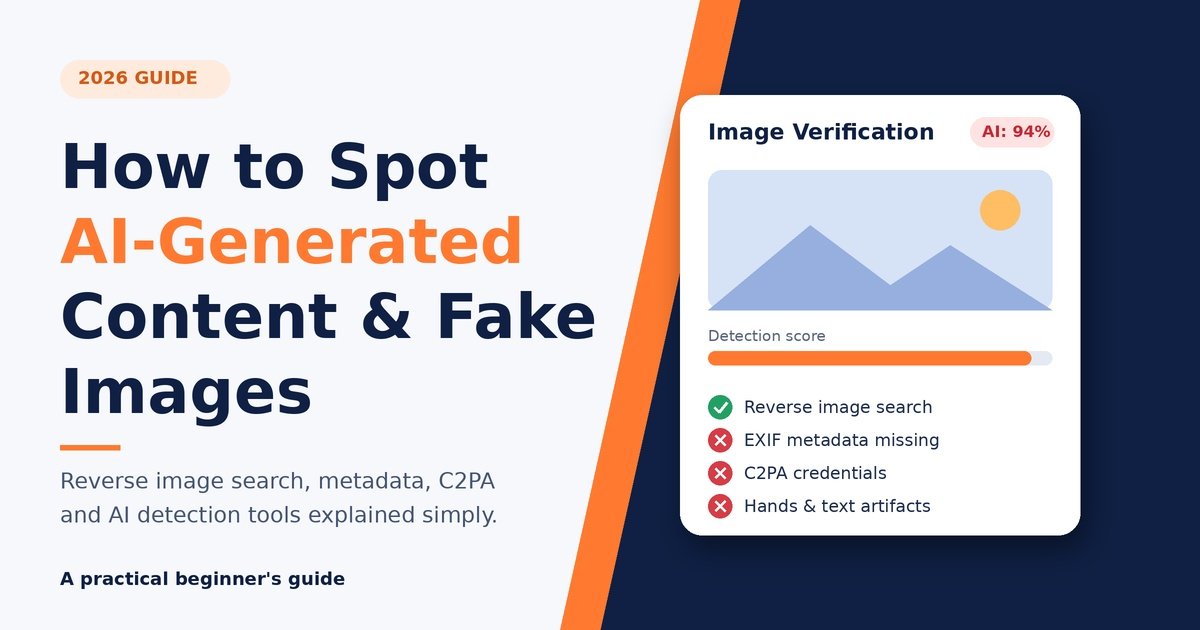
    This is one of the best fake image detection tools, and it’s free. Upload the image to Google Lens or TinEye. If the photo claims to show a breaking news event but only appears on one random account, be suspicious. If it appears in a fact-check article, you have your answer.

    Check Image Metadata (EXIF Data)

    Real camera photos often contain EXIF data: camera model, lens, date, and sometimes location. On a computer, right-click the file and open Properties or Get Info.

    Keep in mind that missing metadata doesn’t prove an image is fake, because social platforms strip it automatically. But if the metadata mentions an AI tool, you have a clear answer.

    Look for an AI Watermark or Content Credentials

    Many companies now add invisible or visible marks to AI output. Google’s SynthID is one example. Content Credentials (C2PA) go further by attaching a tamper-evident “nutrition label” that shows how an image was made and edited. You can upload an image to the free Content Credentials Verify tool to see if this information exists.

    The limit is that watermarks can be removed, and not every tool uses them.

    How to Spot Deepfake Images and Videos

    Learning to spot deepfake images is a bit different from catching simple AI art. Deepfakes usually swap or alter a real person’s face or voice. Early in 2024, a fake robocall imitating a US president’s voice told voters to skip a primary. Audio deepfakes can be as convincing as video ones.

    For deepfake detection, try this:

    1. Watch the eyes. Unnatural blinking or a fixed stare is a warning sign.
    2. Check the mouth. Lip movements may not match the words perfectly.
    3. Look at the edges. Blurring around the jawline, hairline, or neck often reveals a face swap.
    4. Listen closely. Flat emotion, odd pauses, and robotic breathing are common in synthetic voices.
    5. Check the source. Did a trusted news outlet publish it? If not, wait.

    Synthetic media is improving quickly, so source-checking is often more reliable than visual inspection.

    How to Detect AI-Written Text

    Now let’s talk about words. If you’re wondering how to detect AI-written text, there are patterns that experienced editors notice quickly.

    Common Signs of AI-Generated Text

    • Very smooth, balanced sentences with no personality
    • Repeated phrases like “in today’s fast-paced world” or “it’s important to note”
    • Lists of three items in almost every paragraph
    • Generic advice with no personal story, example, or opinion
    • Confident claims with no sources, or made-up facts and links (called hallucinations)
    • A neat summary paragraph that repeats everything already said

    Spotting ChatGPT-Written Content

    ChatGPT-written content tends to sound polite, neutral, and slightly over-explained. It rarely says “I tried this and it failed.” Real writers share messy, specific details: a price they paid, a mistake they made, a place they visited. Ask yourself, “Does this author seem to have actually done this?”

    Of course, many people edit AI drafts heavily, so a clean result isn’t always bad. What matters is whether the content adds real value.

    Comparison Table: Popular Detection Tools

    Here’s a quick look at tools you can try today. Features and limits change often, so always check the latest version.

    ToolBest ForFree OptionKey Strength
    Google LensReverse image searchYesFinds where an image first appeared
    TinEyeTracking image historyYes (limited)Shows older versions of a photo
    Hive ModerationAI image detectorYesGives a probability score
    Content Credentials VerifyProvenance (C2PA)YesShows edit history if available
    GPTZeroAI content detector for textYes (limited)Sentence-level highlighting
    Originality.aiPublishers and SEO teamsPaidDetailed reports for articles

    Pros and Cons of AI Detection Tools

    Pros

    • Fast results in seconds
    • Many free options for beginners
    • Useful as a first filter before manual checks
    • Helpful for editors, teachers, and journalists

    Cons

    • False positives can wrongly flag real human work
    • Can be fooled by edited or paraphrased AI output
    • Scores are probabilities, not proof
    • Quality drops as generators improve

    My advice: use a detector as a hint, never as the final judge.

    A Simple 5-Step Checklist for Beginners

    Here is how to tell if an image is AI-generated (or a text is machine-made) without any fancy skills:

    1. Pause. If it triggers a strong emotion, slow down.
    2. Inspect. Zoom in on hands, text, and backgrounds, or read the article for personality and sources.
    3. Search. Run a reverse image search or search a key sentence in quotes.
    4. Verify. Check metadata, Content Credentials, or a trusted fact-checker.
    5. Confirm with tools. Use an AI image detector or AI content detector as a final check.

    Why Human-Written Content Wins

    Here’s something I’ve noticed after years of blogging: readers can feel the difference. In an age of AI Overviews and zero-click answers, people click through only when a page offers something extra, like real experience, honest opinions, or original photos.

    Strong user experience (UX) matters too. Clear structure, fast loading, and genuine expertise build trust. That’s exactly what E-E-A-T rewards, and it’s why human-written content is becoming a competitive advantage rather than a relic.

    Frequently Asked Questions

    1. What is the easiest way to spot AI-generated content?
    Look for generic wording, missing personal experience, and unverifiable claims. For images, check hands, text, and lighting, then run a reverse image search.

    2. Can an AI image detector be 100% accurate?
    No. Detectors give probabilities and can make mistakes, especially with edited or compressed images. Always combine them with manual checks.

    3. How do I detect fake images for free?
    Use Google Lens, TinEye, and the Content Credentials Verify tool. They cost nothing and cover most beginner needs.

    4. Does missing EXIF data mean an image is fake?
    Not necessarily. Social media platforms and messaging apps often remove metadata automatically.

    5. Are AI watermarks reliable?
    They help, but they aren’t perfect. Watermarks can be cropped, removed, or never added at all, so don’t rely on them alone.

    6. What is C2PA?
    C2PA is an open standard behind Content Credentials. It attaches secure information about an image’s origin and edits so viewers can verify it.

    7. Can Google detect AI-written text?
    Google says it focuses on content quality and helpfulness rather than how content was produced. Low-value, mass-produced pages still tend to perform poorly.

    8. How can I spot deepfake images quickly?
    Check the eyes, mouth, and edges of the face, then verify the source. If no reliable outlet reports it, treat it as doubtful.

    9. Is all AI-generated content bad?
    No. AI can be a useful assistant. Problems start when content is deceptive, inaccurate, or published without human review.

    10. Which is better: AI content detector or manual review?
    Use both. Tools are fast, but human judgment catches context, tone, and logic that software misses.

  • How to Automate Daily Tasks with AI: A Beginner-Friendly Guide for 2026

    How to Automate Daily Tasks with AI: A Beginner-Friendly Guide for 2026

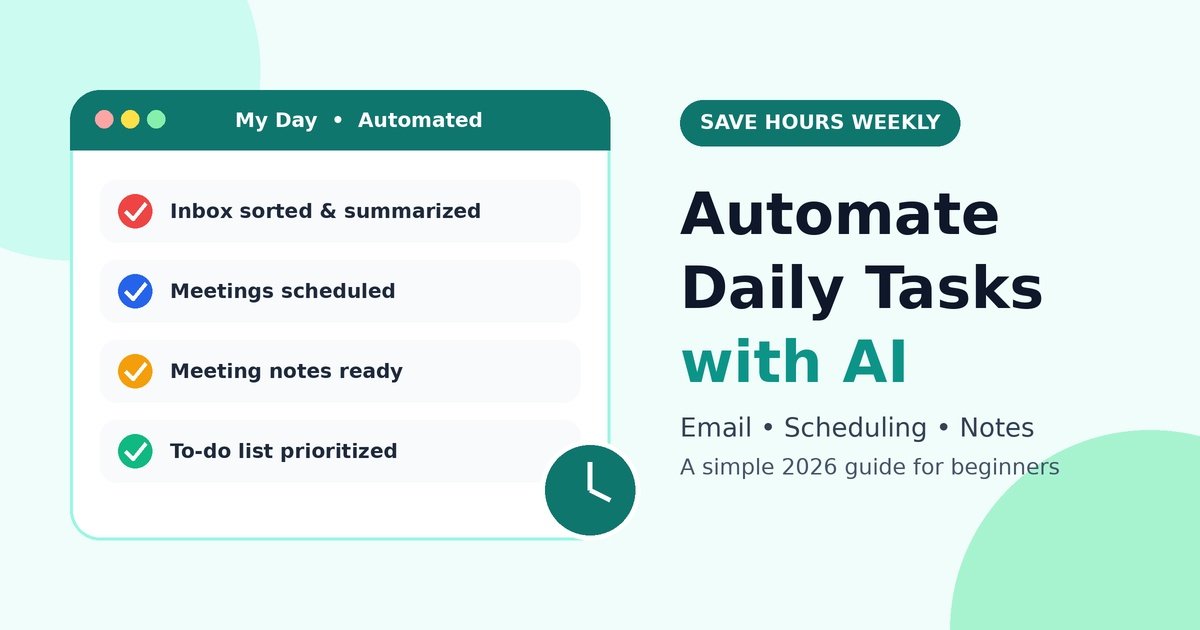
    Be honest: how much of your day goes to work that doesn’t move anything forward? Sorting email, hunting for a meeting slot, typing up notes, rewriting the same to-do list again. These small jobs quietly eat hours.

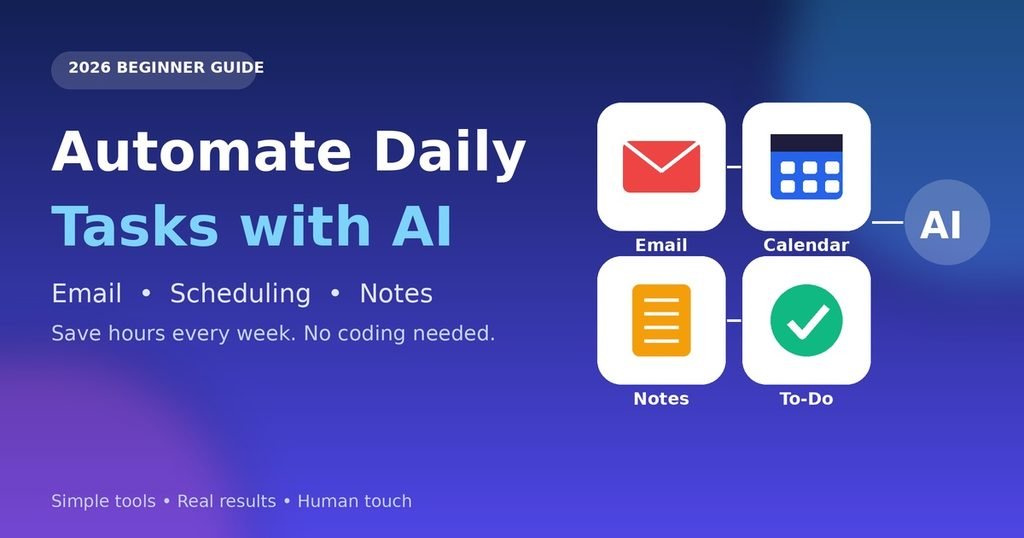
    The good news is that you can now automate daily tasks with AI without writing any code. This guide shows simple, practical ways to hand off the boring stuff so you can focus on work that needs you.

    Why Automating Daily Tasks Matters in 2026

    AI is no longer a novelty. Search engines show AI Overviews at the top of results, and many searches end in zero clicks. People expect fast, direct answers, and that expectation has moved into our work lives too.

    The smartest approach is to use AI productivity tools for repetitive jobs while keeping human judgment for decisions, relationships, and creativity. Think of AI as a capable assistant, not a replacement for you.

    Email: The Biggest Time Sink

    Reach Inbox Zero with AI

    Email management with AI works best when AI sorts first and writes second. Try this:

    • Use built-in thread summaries in Gmail or Outlook to read long chains in seconds.
    • Set smart filters to separate urgent, FYI, and newsletter mail.
    • Bulk-unsubscribe from anything you haven’t opened in a month.
    • Check email in two fixed time blocks instead of all day.

    This is the fastest way to reach inbox zero with AI without feeling buried.

    Use an AI Email Writer Wisely

    AI email automation shines for repeat questions. Say a freelancer gets “What are your rates?” ten times a week. Save a prompt like this:

    “Write a friendly reply under 100 words, include my pricing link, and ask about their deadline.”

    Paste the email, review the draft, add one personal line, and send. An AI email writer gets you 80% of the way there, but you should always make the final edit.

    Smart Calendar Scheduling

    Back-and-forth messages like “Does Tuesday work?” are a classic waste of time. An AI scheduling assistant fixes this by reading your calendar and offering only the slots that suit you.

    Google Calendar AI features, booking-link tools, and planners like Reclaim or Motion can all help. Here is a simple setup:

    1. Add your working hours and time zone.
    2. Block daily focus time so meetings can’t swallow it.
    3. Share one booking link instead of proposing times manually.
    4. Let AI move low-priority tasks when your day changes.

    Good smart calendar scheduling also protects your energy. Keep your hardest work in the hours when you think best.

    AI Note-Taking Tools and Meeting Summaries

    Nobody can listen closely and take perfect notes at once. AI note-taking tools solve that.

    • Otter.ai meeting transcription records and transcribes calls in real time.
    • Notion AI turns messy notes into clean summaries and action lists.
    • AI meeting notes can pull out decisions, owners, and deadlines automatically.

    Automatic meeting summaries are most useful when you send them within an hour of the call, while everyone still remembers the context. Always tell participants when a meeting is being recorded.

    AI To-Do Lists and Time Management

    Here is where ChatGPT for productivity earns its place. Each morning, dump everything on your mind into a chat and ask:

    “Sort these into must-do, should-do, and can-wait. Estimate time for each and build a realistic schedule.”

    You get an instant AI to-do list with priorities. For time management with AI, repeat the process at lunch to adjust for surprises. Notion AI can also turn meeting notes directly into task lists inside your workspace.

    No-Code Automation: Connect Everything with Zapier

    If you want true AI workflow automation, connect your apps. No-code automation tools let you build “when this happens, do that” flows with clicks, not code.

    A beginner example of Zapier AI automation:

    1. Choose a trigger: a new email arrives with the label “Invoice.”
    2. Add an AI step that summarizes the email in two lines.
    3. Send the summary to a Notion database.
    4. Notify yourself in Slack or by email.
    5. Test it with three real emails before turning it on.

    Start with one small flow. Once it works, you can build more of this AI task automation over time.

    Best AI Tools for Daily Tasks: Quick Comparison

    ToolBest ForLearning CurveTypical Use
    ChatGPTDrafting, planning, brainstormingEasyEmail replies, to-do lists
    Notion AINotes and task organizationEasy–MediumSummaries, action items
    Otter.aiMeeting transcriptionEasyCalls and interviews
    Google Calendar AISchedulingEasyBooking, time blocks
    ZapierConnecting appsMediumMulti-step workflows

    Pricing and features change often, so check each tool’s current plans before you commit.

    Pros and Cons of Automating with AI

    Pros

    • Saves hours every week on repetitive work
    • Reduces missed follow-ups and forgotten tasks
    • Makes meetings and notes easier to search later
    • Most tools are beginner-friendly and low cost

    Cons

    • AI can make mistakes, so human review is needed
    • Privacy risks if you paste sensitive data
    • Too many tools can create new clutter
    • Over-reliance may weaken your own writing and planning skills

    Keep the Human Touch: E-E-A-T, GEO, and UX

    If you publish content, 2026 rewards real experience. Google’s E-E-A-T principles favor writing based on firsthand knowledge, and generative engines tend to cite content that is clear, trustworthy, and genuinely useful. That is why human-written content still matters.

    Use AI for your first draft or research, then add your own examples, opinions, and lessons. Keep your pages fast and easy to read, since good UX keeps people around. In a world of zero-click searches, being the helpful, human voice is your edge.

    Frequently Asked Questions

    1. Can beginners automate daily tasks with AI?
    Yes. Start with one task, like email summaries, and add more as you get comfortable.

    2. What is the easiest task to automate first?
    Email sorting and meeting scheduling are the simplest, with the fastest payoff.

    3. Is AI email automation safe?
    It is safe if you avoid sharing sensitive data and review every message before sending.

    4. How much time can I really save?
    It depends on your workload, but many people save several hours weekly by automating repetitive tasks.

    5. Do I need coding skills?
    No. No-code tools like Zapier are built for non-technical users.

    6. Are AI meeting notes accurate?
    They are usually good, but accents, noise, and jargon can cause errors. Skim before sharing.

    7. Is it legal to record meetings with AI?
    Rules vary by location. Always get consent from participants first.

    8. Can AI replace a human assistant?
    Not fully. It handles routine tasks, but people are better at judgment and relationships.

    9. Which is better, Notion AI or ChatGPT?
    Notion AI suits notes inside your workspace, while ChatGPT is more flexible for drafting and planning.

    10. Will AI-generated content rank in search?
    Helpful, original content can rank, but pure copy-paste output rarely stands out. Add real expertise.